
AI Content Generator for YouTube: Boost Videos 2026
You're probably in one of two places right now. Either you're staring at a half-finished YouTube script and thinking, “AI should make this easier than this,” or you've tried a few AI tools already and ended up with content that sounds polished but empty.
That gap is where most creators get stuck. An AI content generator for YouTube can absolutely speed up research, scripting, titles, thumbnails, voiceovers, and first-pass edits. But speed by itself doesn't build a channel people trust, watch, and come back to. The channels that make the most of AI use it as a production system, not a vending machine.
Table of Contents
- Beyond the Blank Page An AI-Powered YouTube Strategy
- Phase 1 Strategic Ideation and Topic Validation
- Phase 2 Crafting High-Retention Scripts and Assets
- Phase 3 AI-Assisted Production and Editing
- Phase 4 Optimizing for YouTube and AI Search
- Phase 5 Measuring Performance and Refining Your Prompts
Beyond the Blank Page An AI-Powered YouTube Strategy
Creative burnout on YouTube rarely looks dramatic. It looks like opening YouTube Studio, checking what underperformed, feeling the pressure to publish again, and realizing you still need a topic, a script, a title, a thumbnail angle, and enough energy to make the whole thing worth watching.
That's why AI has become practical infrastructure for creators, not a novelty. A 2024 ACM study on generative AI in YouTube creator workflows found that 58.21% of sampled videos used Gen-AI for content generation, making generation the leading use case over simpler tasks like editing or analytics. In the same study, LLMs accounted for 41.79% of the tools observed, and 35.82% of the videos used Gen-AI for suggesting ideas or topics. That tells you something important. Creators aren't only using AI after the content exists. They're using it upstream, where videos are won or lost.
This visual captures the shift from scattered effort to a repeatable system.
What an AI workflow should actually do
A useful AI stack for YouTube does four jobs well:
- Find angles worth making: not generic “10 video ideas,” but specific questions, objections, and gaps your niche hasn't covered well.
- Turn a topic into assets fast: script draft, title options, thumbnail concepts, description, chapters, and repurposed short-form cuts.
- Reduce low-value production work: first-pass voiceover, rough B-roll, scene grouping, silence removal, and draft edits.
- Create a feedback loop: analytics tell you what failed, and your next prompts get better.
Practical rule: If AI only saves time but makes your videos more interchangeable, it's hurting the channel.
A lot of tutorials still frame AI around faceless quantity. That's too shallow. The better model is controlled assistance. You keep the positioning, judgment, and final polish. AI handles the repetition, the first draft, and the format work. If you want a complementary walkthrough focused on actual video generation workflows, ClipCreator.ai's guide on AI video is a useful reference because it connects creation speed with the production choices that still need human review.
The channel-level mindset
The right question isn't “Can AI make a YouTube video?” It can. The better question is whether your workflow produces videos that still feel distinct after AI touches every stage.
That's the standard that matters if you want monetizable, durable growth. Everything that follows works from that assumption: AI should reduce friction, not flatten your voice.
Phase 1 Strategic Ideation and Topic Validation
Most creators waste AI at the exact point where it could be most valuable. They open ChatGPT or Claude, type “give me 20 YouTube ideas,” and get back a list that could fit any channel in the niche.
That's not strategy. It's autocomplete.
Stop asking for random ideas
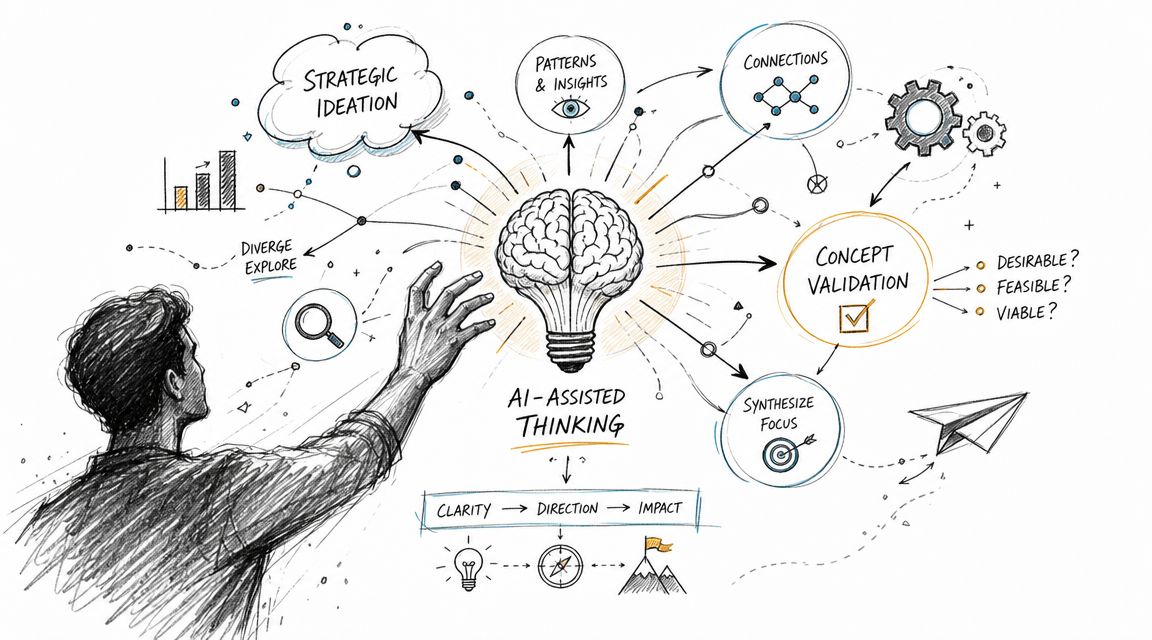
The strongest use of an AI content generator for YouTube is narrowing the field before production starts. You want AI to help answer questions like these:
- What has already been covered to death?
- Which subtopic gets attention but weak explanations?
- What beginner question keeps appearing in comments and forums?
- Which angle can this channel credibly own?
There's also a quality reason to work this way. The Luma discussion around AI faceless video workflows highlights a core risk: AI-generated YouTube content can become unmonetizable or low-trust if it turns repetitive, which puts pressure on creators to compete on differentiation and retention, not just output speed. If your topic selection is generic, the rest of the workflow will be generic too.
Prompts that surface better topics
Use AI like an analyst, not an idea slot machine. Feed it context, examples, and constraints.
Here are prompt patterns that produce stronger topics:
Competitor gap analysis
Prompt:
“Act as a YouTube strategist for a channel about [niche]. Analyze the top videos and common angles for the topic [keyword]. Identify three underserved subtopics, two audience objections that aren't answered well, and one angle that would feel fresh to a viewer who has already watched the standard videos.”Audience intent mapping
Prompt:
“For a YouTube audience interested in [topic], group likely viewers into beginner, intermediate, and buyer-intent segments. For each segment, list the questions they're most likely to click, watch, and save.”Format validation
Prompt:
“Compare whether this topic is better suited to a Short, a standard tutorial, a case breakdown, or a commentary format. Explain which version gives the best chance of holding attention.”
Good ideation prompts ask AI to compare, prioritize, and critique. Weak prompts only ask it to generate.
A useful filter at this stage is asking whether the idea creates a clear promise. If you can't state the viewer outcome in one sentence, the topic usually isn't sharp enough yet.
A simple validation checklist
Before a topic moves into scripting, run it through a manual review:
- Specific viewer problem: Can you name the exact pain point?
- Clear payoff: Will the viewer know what they gain by the end?
- Fresh framing: Is there a stronger angle than the obvious version?
- Proof path: Can you support the script with examples, workflow detail, or direct experience?
- Channel fit: Does this reinforce what the channel should be known for?
If your team is also thinking about how AI systems interpret content formats more broadly, this data-driven analysis of what content types LLMs prefer is worth reading alongside your topic planning.
The strongest topics usually aren't the biggest ones. They're the ones with a sharp audience match and a specific promise that weaker channels gloss over.
Phase 2 Crafting High-Retention Scripts and Assets
Once the topic is validated, most of the value comes from asset cohesion. The script, title, thumbnail concept, and description should all describe the same promise from slightly different angles. When these pieces drift apart, the video gets clicks without retention, or retention without clicks.
That's where a disciplined prompt structure matters more than the model itself.
The script prompt should be narrow
A common mistake is dumping everything into one giant prompt. You add your brand voice, target audience, keywords, references, tone notes, visual direction, monetization goals, sponsor read, CTA, and five examples. Then the output comes back muddy.
That failure mode isn't surprising. InVideo's tutorial on AI video generation recommends being “very direct” with the initial prompt, including only the essential project details, then using the tool's follow-up questions to lock in settings like audience, duration, and media choices during refinement in the next step of the workflow, as shown in InVideo's guidance on direct prompting.
Start with the core assignment. Add complexity after the first useful draft appears.
A better initial script prompt looks like this:
Write a YouTube script for a video about [topic].
Audience: [who this is for].
Outcome: [what the viewer should understand or be able to do].
Format: hook, problem, explanation, examples, mistakes, closing CTA.
Tone: clear, practical, not hypey.
Keep the language concrete and avoid filler.
That's enough to get a workable skeleton. After that, refine in passes.
Edit in layers, not all at once
Use separate prompts for separate jobs:
- Hook pass: “Give me 5 opening hooks for this script. Each should create curiosity without sounding clickbait.”
- Retention pass: “Mark any paragraph where the pacing drops or the point gets repetitive. Rewrite for tighter flow.”
- Voice pass: “Remove generic AI phrasing. Make this sound like an experienced YouTube strategist who values clarity over hype.”
- Proof pass: “Flag any claim that needs evidence, qualification, or softer wording.”
This is also the point where the best teams pair writing tools with process tools. If you're evaluating your stack for search-driven content as well as scripts, this guide to the best tools for writing content optimized for AI search in 2026 can help you decide where a general LLM is enough and where a workflow layer is useful.
AI Prompt Templates for YouTube Assets
| Asset Type | Example Prompt |
|---|---|
| Script draft | “Write a YouTube script about [topic] for [audience]. Use this structure: hook, problem, three key points, common mistake, practical takeaway, CTA. Keep the tone direct and useful.” |
| Title options | “Generate 10 YouTube title options for a video about [topic]. Prioritize clarity, curiosity, and a strong viewer outcome. Avoid generic phrasing.” |
| Thumbnail concepts | “Describe 6 thumbnail concepts for this video. For each, include the main visual subject, facial expression if relevant, short on-image text, and the core emotion or curiosity trigger.” |
| Description | “Write a YouTube description for this video using a strong first two lines, a concise summary, relevant keywords naturally, and a CTA to watch the next related video.” |
| Chapters | “Create chapter timestamps from this script using concise labels that match what viewers are trying to learn.” |
| Shorts repurpose | “Turn this long-form script into 3 YouTube Shorts concepts. Each should have a fast hook, one core point, and a clean ending line.” |
Asset checks before production
Before you record or generate anything, review the package as a unit.
- Title and thumbnail alignment: They should promise the same payoff, not two different stories.
- Script opening match: The first lines should cash the promise immediately.
- Description support: It should reinforce the topic, not stuff keywords.
- Thumbnail feasibility: If your designer or image tool can't create it cleanly, the idea isn't production-ready.
A good AI workflow doesn't stop at “draft complete.” It hands production a package that already knows what the video is trying to do.
Phase 3 AI-Assisted Production and Editing
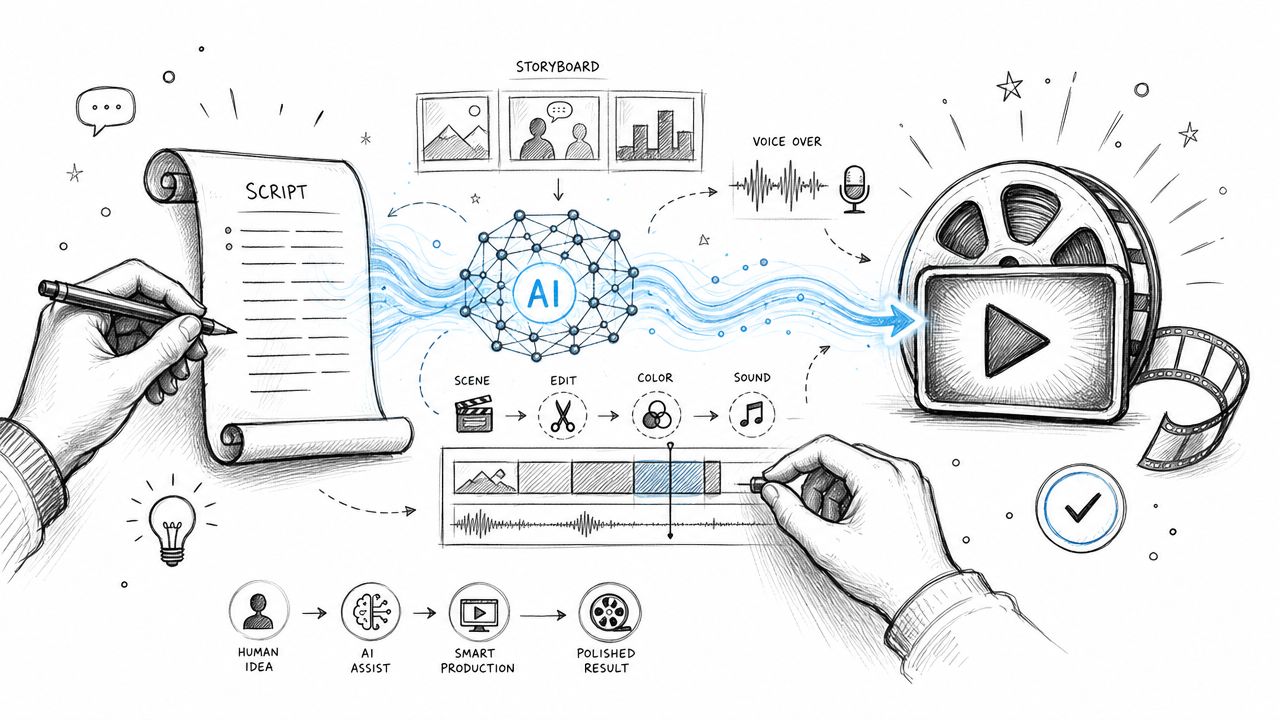
The biggest myth in this category is the one-click channel. It's easy to generate a script, a voiceover, a set of visuals, and a rough cut. It's much harder to make those pieces feel intentional once they sit next to each other on a timeline.
That difference is where channels either start looking polished or disposable.
Where AI helps most in production
AI is strongest in production when the task is repetitive, modular, or easy to evaluate quickly.
Use it for:
- Voiceover drafts: Generate a first-pass read for explainer videos, faceless segments, or scratch audio used to test pacing before a final narration.
- B-roll generation: Create supporting visuals for abstract concepts, transitions, or scenes that would otherwise require stock hunting.
- Rough editing: Let AI tools detect pauses, group similar clips, remove silence, transcribe dialogue, and assemble a draft timeline.
- Subtitle generation: Fast captioning is table stakes now, and AI usually gets you close enough to finish with a quick review.
This can cut a lot of friction from the middle of the process. It's especially useful when you need to test whether a concept works before committing to a full edit.
Where human judgment still decides quality
The last mile is still human. That includes pace, timing, emphasis, visual logic, and emotional tone.
Here's the hidden work AI can't do reliably without supervision:
Choosing what to linger on
AI can cut dead air. It can't always tell when a pause adds tension or when an extra beat helps a point land.Protecting brand consistency
A channel voice is more than wording. It includes music taste, motion style, framing, humor level, and how aggressive or calm the edit feels.Fixing visual emptiness
Many AI-generated clips look technically usable but emotionally flat. If every scene has the same texture, the video starts feeling synthetic even when viewers can't explain why.
The fastest edit isn't the best edit. The best edit is the one where the viewer never notices the workflow behind it.
The practical way to run AI in production is to let it generate options, not final answers. Build a shortlist of voice takes, visual styles, and rough cuts. Then review them against the script's real job: hold attention and make the promise feel earned.
If you skip that stage, the channel starts to look like every other AI-assisted channel using the same templates, the same stock cadence, and the same empty confidence.
Phase 4 Optimizing for YouTube and AI Search
A video can be strong and still get packaged poorly. This happens all the time with AI-assisted workflows because creators spend their prompt energy on the script, then rush the title and metadata.
That's backward. Packaging is where the video earns the right to be watched.
Build titles with structured inputs
Hootsuite's title workflow is a useful model because it forces specificity. Their AI YouTube title generator uses four inputs in sequence: language, channel or video category, a short video description, and relevant search keywords, then generates up to five title options per run according to Hootsuite's YouTube title generator workflow. That structure matters because it reduces ambiguity and helps the model match audience language with search intent.
If you're writing title prompts manually, use the same framework:
- Language
- Category
- Short description
- Primary keywords
Then ask for variations across styles:
- outcome-driven
- curiosity-led
- beginner-friendly
- authority-based
- contrarian
A strong title prompt looks like this:
Generate 8 YouTube titles in English.
Category: YouTube growth strategy.
Video description: A practical workflow for using AI to research, script, produce, and optimize YouTube videos without making them generic.
Keywords: AI content generator for YouTube, YouTube AI workflow, AI YouTube script.
Create 2 direct titles, 2 curiosity titles, 2 search-focused titles, and 2 titles that emphasize monetizable quality.
Extend one video into a search package
Don't stop at the title. A mature AI workflow turns one upload into multiple discoverability assets.
Use AI to generate:
- Description variants: one concise version for clarity, one more keyword-aware version for testing
- Chapter labels: clear timestamps improve navigation and help viewers find the exact segment they want
- Pinned comment drafts: summarize the core takeaway and point viewers to the next related video
- Short-form derivatives: turn one long-form argument into multiple Shorts hooks
- Off-platform summaries: repurpose the script into a blog summary, LinkedIn post, or X thread
Better optimization starts with better inputs, not more keywords.
If you're thinking beyond YouTube search and want your videos and supporting content to be more visible in AI-driven discovery, this guide on how to create YouTube content that gets cited by AI chatbots is a smart companion to your packaging workflow.
The best packaging doesn't sound engineered. It sounds obvious in hindsight. That's usually the sign that the title, description, and chapters all came from the same clear understanding of the core purpose of the video.
Phase 5 Measuring Performance and Refining Your Prompts
Most AI workflows break because creators treat prompting as a creative act instead of an operational asset. They write a prompt, get a result, publish a video, and move on. That leaves no system for learning.
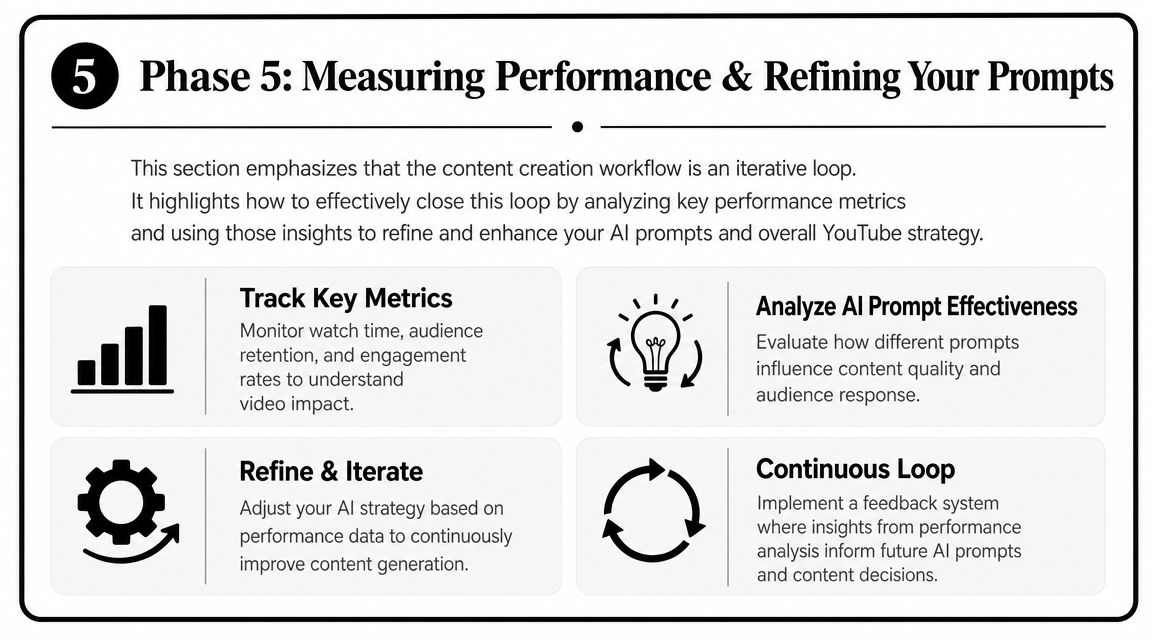
What improves channels isn't AI by itself. It's the loop between prompts, outputs, and performance.
This summary visual is a good way to think about that loop.
Read the signals that matter
You don't need more AI at this stage. You need better diagnosis.
Start with the clearest signals in YouTube Analytics:
- Click-through rate: tells you whether the packaging earned attention
- Audience retention graph: shows where the script and edit lost people
- Traffic sources: helps separate a topic problem from a distribution problem
- Comments and qualitative feedback: often reveal trust issues faster than any dashboard
Then map those outcomes back to the prompt that shaped the asset.
If retention drops early, review the script prompt and opening structure. If click-through is weak, inspect the title and thumbnail prompts. If viewers say the video feels vague, your ideation prompt probably approved a topic that was too broad.
Treat prompts like production assets
Keep a prompt library the same way you'd keep thumbnail templates or editing presets. Label prompts by function and outcome.
For example:
| Prompt Type | What to review after publishing |
|---|---|
| Topic validation prompt | Did the video attract the right audience? |
| Script hook prompt | Did viewers stay through the opening? |
| Title prompt | Did the packaging create the right expectation? |
| Shorts repurpose prompt | Did the derived clips stand alone cleanly? |
There's also a cost layer most creators ignore. The analysis of AI YouTube production economics points to a real issue: some tools charge per second of generation, which means AI doesn't always reduce cost. Sometimes it just shifts cost from labor into subscriptions, retries, and cleanup editing. That matters when an AI content generator for YouTube starts expanding from “helpful assistant” into a chain of paid tools that each add one more draft, one more export, and one more revision step.
Watch for this pattern: the workflow feels faster, but the publishable version still depends on heavy correction. That's not automation. That's cost relocation.
The teams that get lasting value from AI usually make three adjustments:
- They cut tools that only produce novelty. If an output still needs major repair every time, it's not saving much.
- They refine prompts after every meaningful win or miss. A strong prompt gets versioned, not forgotten.
- They compare workflow by format. Shorts, long-form explainers, and image-to-video pieces often behave differently in both effort and quality.
That's the difference between using AI occasionally and running an AI-assisted content operation that gets sharper over time.
If your team wants to go beyond YouTube workflow tips and measure how your brand shows up across AI-driven discovery, Spotlight Group LLC is built for that job. Spotlight helps brands track where leading AI platforms mention them, which prompts trigger those mentions, which sources get cited, and how visibility changes over time so content, SEO, and brand teams can act on something measurable instead of guessing.
Authored using Outrank

Michael Hermon
Before Spotlight, Michael led Innovation and AI at monday.com after exiting his previous startup. He learned to code at 13 at MIT and later attended Columbia’s MBA program.
https://linkedin.com/in/michaelhermon